


Doro C300 Ergonomic Office Chair


M59AS Ergonomic Office Chair


M57 Classic Ergonomic Office Chair


Doro S300 Ergonomic Office Chair


Doro C300 Pro Ergonomic Office Chair


Doro S100 Ergonomic Office Chair


L3 Leather Office Chair


M102C Office Chair


M18 Classic Ergonomic Office Chair


Environmentally friendly design

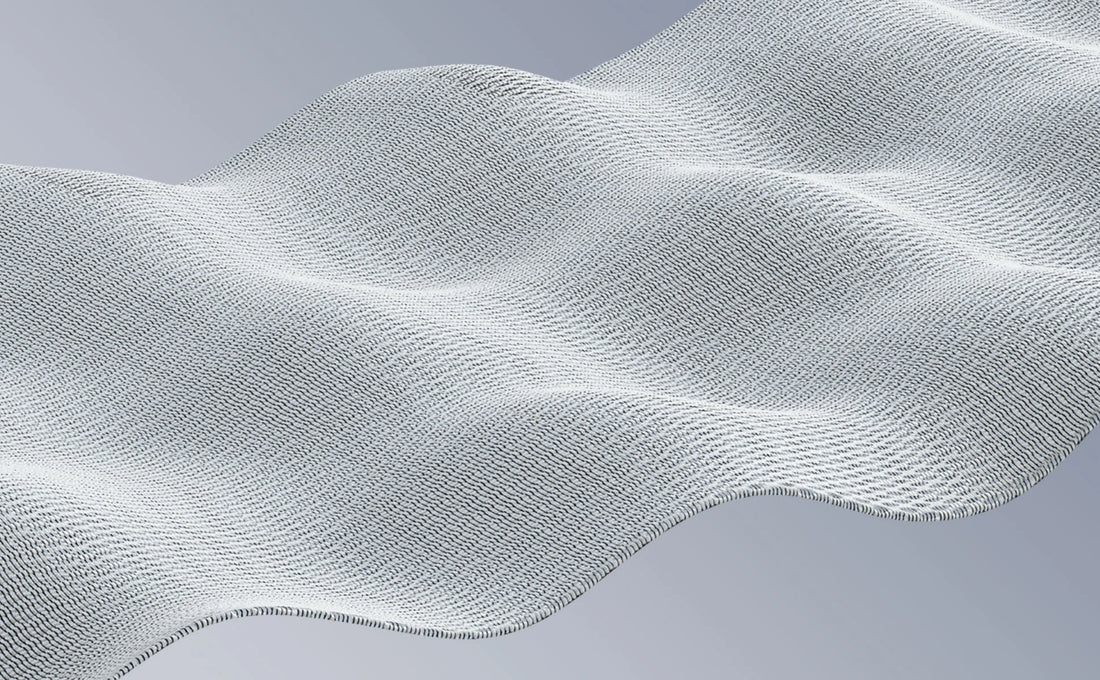
High-quality, safe & environmentally friendly mesh
Sihoo chairs use a high-quality mesh fabric that offers excellent support, durability, and comfort. Odorless, skin-friendly, and environmentally friendly, it ensures a fresh, breathable, and sustainable seating experience.
Robust and durable frame
The main structure of Sihoo chairs consists of high-quality polyamide fibers.
Long-lasting comfort, minimized CO₂ footprint
Made from high-quality materials with precise workmanship, all Sihoo chairs offer reliable support for years to come – and all this with minimal environmental impact.
SIHOO vs. Other Brands
We pride ourselves on our ergonomic design, support, and comfort – not every brand can say that.
Leading ergonomic design
Excellent adjustability for all body sizes
Continuous support and comfort
High-quality materials and workmanship

Other Brands
Leading design
Height adjustable
Constant comfort
High-quality materials
30-day free trial
3-year warranty
Blog articles

Create a workplace you truly enjoy
Creating a workspace you love goes beyond aesthetics. It's about creating a space that boosts your productivity, supports your well-being, and inspires you every time you sit down to work. Whether you're setting up a home office, remodeling your desk, or creating a creative corner for side projects, a functional and comfortable workspace can make a huge difference. Here you will learn how to create a workplace you will love, step by step. 1. Start with proper ergonomics Before you turn to design and decoration, consider your comfort and health. Sitting for long periods without adequate support can lead to back pain, eye strain, and poor posture. When setting up your workspace, make sure you prioritize ergonomic furniture and accessories. Invest in an ergonomic chair A good chair is essential if you want to work long hours without discomfort. Look for a chair that supports your lower back, offers adjustable armrests, and has a seat adjustment mechanism. Chairs like the Sihoo Doro S300 with individually adjustable lumbar support or the Sihoo Doro C300 Pro with dynamic back support are excellent options that promote a healthy sitting posture. The correct desk height Your desk should be adjusted so that you maintain a neutral wrist position. Your forearms should be parallel to the floor while typing, and your eyes should be aligned with the top third of the screen to avoid neck strain. Standing desks like the Sihoo D03 offer flexibility if you want to switch between sitting and standing. Position of keyboard and mouse Your keyboard and mouse should be positioned so that your elbows remain at a 90-degree angle when you type or click. Use a keyboard tray or mouse pad with wrist support if needed. Small adjustments to your setup can make a big difference to your comfort. 2. Optimize the lighting for comfort and focus Lighting plays a crucial role in creating a workplace that promotes focus and reduces eye strain. The right lighting not only helps with vision but also sets the mood for your workspace. Natural light: If possible, place your desk near a window to take advantage of natural light. Daylight lifts your mood, increases energy levels, and helps regulate your circadian rhythm. Just be mindful of glare from your screen, which can strain your eyes. Workplace lighting: A good desk lamp is essential for focused tasks like reading or writing. Look for adjustable desk lamps with soft, warm light to reduce eye strain. Consider an LED lamp with adjustable color temperatures, allowing you to switch between warm light (for relaxation) and cool light (for focused work). Ambient lighting: In addition to your desk lamp, some soft ambient lighting in your workspace can create a cozy atmosphere. Try string lights, floor lamps, or even a salt lamp for a calming effect. 3. Create an organized layout A cluttered workspace can lead to distractions, stress, and reduced productivity. A well-organized space helps you concentrate and makes your workspace more inviting. Storage Solutions: Invest in functional storage solutions such as filing cabinets, drawer organizers, and wall shelves. Keep frequently used items within easy reach, while storing less frequently used items. For a minimalist aesthetic, consider closed storage solutions that conceal clutter while keeping everything accessible. Cable Management: Tangled cables make your desk look messy. Use cable clips or cable organizers to keep everything tidy. Consider a wireless charging station for your phone or mouse to further reduce cable clutter. Personal Touches: While organization is important, don't forget to add some personal items that will make the space feel like your own home. Framed photos, plants, or artwork can create a sense of belonging and well-being. A stylish mug, a favorite book, or a unique keepsake can also add personality without creating clutter. 4. Design according to your work style When designing your workspace, consider your work habits and preferences. Different tasks require different environments, and adapting your space to your workflow will help you stay productive and inspired. For creative work: If you are a designer, writer, or artist, incorporate tools that support your creative process. A large desk provides space for papers, sketchbooks, or equipment. Add ample storage for your materials, and a bulletin board or corkboard can help you visualize ideas. A comfortable chair with additional lumbar support will ensure you can stay in your creative zone for hours. For office work: If your work is more desk-bound, such as in customer service, programming, or project management, you might prefer a clean, uncluttered desk with a simple monitor setup. Invest in a high-quality monitor (or even two monitors) to facilitate multitasking. A solid mouse and keyboard combination can reduce strain during long typing sessions. For collaboration: If you frequently work with others, ensure your workspace facilitates communication. A round or large table is ideal for meetings, and if possible, choose furniture that is easy to rearrange. Whiteboards, chalkboards, or even sticky notes can help organize thoughts and plans when brainstorming with teammates. 5. Integrate color and aesthetics The colors you choose for your workplace can significantly impact your mood and productivity. Different shades evoke different emotions, so consider the atmosphere you want to create. Blue promotes calmness and focus and is ideally suited for productivity-oriented spaces. Yellow stimulates creativity and positivity and is perfect for brainstorming or artistic work. Green is calming and relaxing, ideal for those who need a peaceful, stress-free space. Red can energize and stimulate action, but beware—too much red can be overwhelming. Add some greenery, too. Plants not only improve air quality but also give any room a refreshing touch. Low-maintenance plants like succulents or snake plants thrive with minimal care. 6. Use technology to optimize your work Your workplace should be equipped with the tools and technologies that help you work efficiently. From the right software to the latest devices, technology can make your day easier and more productive. Monitors and Displays: Consider purchasing an extra-large monitor or a dual-monitor setup to boost your productivity and avoid constantly switching between tabs. You can also get a portable monitor for flexible working on the go. Ergonomic Accessories Besides a great chair and desk, ergonomic accessories such as a laptop stand or footrest can further help reduce strain on your body and improve your posture. A document holder can also be useful for keeping papers at eye level and reducing neck tension. Smart Tools: If you are easily distracted, apps like Forest or Trello can help you stay focused. Noise-canceling headphones are also a great addition to help you maintain your concentration, especially in noisy environments. 7. Don't forget the breaks. Finally, your workspace should be designed to encourage breaks. Prolonged sitting can lead to fatigue and reduced productivity. Use the recline function of your ergonomic chair, and don't hesitate to get up, stretch, or take a walk. Your workspace should support a healthy work-life balance, so consider creating a comfortable corner for reading or relaxing during breaks. Concluding thoughts Building a workspace you love isn't about perfection—it's about creating an environment that meets your needs and helps you be your best self. With the right ergonomic furniture, thoughtful lighting, a well-organized layout, and a personalized touch, you can create a space that provides both comfort and inspiration. Have fun setting up your workspace!

DIY adjustments: How short people can adjust their office chair for maximum comfort
A comfortable office chair is crucial for maintaining focus and productivity throughout the workday. However, for petite individuals—those with a shorter stature or slimmer build—a standard office chair is often not optimally designed. Fortunately, with a few simple DIY modifications, even conventional office chairs can be optimized to become ergonomic, supportive, and comfortable. Here's how you, as a petite person, can customize your chair to your individual needs. 1. Adjust the seat height correctly The basis for comfortable sitting is the correct seat height. Your feet should be flat on the floor and your knees ideally bent at a 90-degree angle or slightly below – this ensures even weight distribution and reduces strain on your back and legs. Here's how: Use the gas spring : Most office chairs have a gas spring for height adjustment. Adjust the chair so that your knees are at the same height as, or slightly lower than, your hips. Use a footrest : If your feet cannot reach the floor even at the lowest setting, a footrest will help improve posture and relieve pressure on your legs. 2. Adjust the backrest and lumbar support The backrest should adapt to the natural shape of your spine. Particularly important: good support in the lumbar region. Here's how: Position the lumbar support correctly : If available, adjust the lumbar support so that it gently supports your lumbar spine. Alternatively, you can use a small pillow or a rolled-up towel for support. Adjust the backrest angle : A slightly reclined position ensures better weight distribution. Ideally, you should recline at an angle of 100–110 degrees. 3. Optimize seat depth For petite individuals, a seat that is too low is uncomfortable and impairs posture. Ideally, there should be a gap of two to three fingers between the back of the knee and the edge of the seat. Here's how: Use the seat depth adjustment : If your chair offers this feature, adjust the depth so that your thighs are supported without restricting blood flow. DIY solution : An additional seat cushion can reduce the depth while providing more comfort. Make sure your knees remain slightly bent. 4. Position the armrests The correct armrest height relieves strain on the shoulders and neck. For petite individuals, armrests should be adjusted so that the arms rest comfortably at a 90-degree angle. Here's how: Height adjustment : Armrests should be high enough to keep your shoulders relaxed and your forearms resting loosely. Width adjustment : If possible, move the armrests closer to your body to provide ergonomic support for your arms. DIY alternatives : Use cushions or pillows to raise or pad the armrests on non-adjustable models. 5. Improve seating comfort with cushions Standard chairs often lack soft, yet supportive padding – especially when sitting for extended periods. Here's how: Use seat cushions : High-density foam cushions or memory foam provide targeted pressure relief and improve posture. Individual adjustment : Make sure the pillow is not too high – the legs should still be at the correct angle. 6. Consider a smaller or specially adapted chair. If all DIY adjustments are insufficient, investing in a chair specifically designed for petite individuals may be worthwhile. Advantages: Compact design : Smaller seat, shorter backrest, lower minimum height. Full ergonomics : These models usually offer all the important adjustment options – for optimal seating comfort for smaller body sizes. 7. Maintain good posture No matter how well your chair is adjusted, a healthy sitting posture remains crucial: Lean back Relaxed shoulders Wrists in neutral position Feet flat on the floor or on a footrest Get up and move around regularly Conclusion: Small changes – big difference With simple DIY adjustments, even petite people can transform a standard office chair into an ergonomic workstation. Pay particular attention to seat height , seat depth , back support , armrests , and padding to improve posture, comfort, and productivity. If, despite all adjustments, you cannot achieve an ideal sitting posture, consider purchasing an ergonomic chair for shorter people or seeking advice from an ergonomics expert. Your comfort is crucial – invest in your health at work.

Sihoo Doro S300 receives top rating in CHIP.de's office chair test – Official recognition for maximum seating comfort
CHIP.de – One of Germany's most influential tech magazines When choosing an office chair, many users today rely on professional testing portals. CHIP.de is one of the best-known technology portals in Germany and has been renowned for its objective product tests and market analyses for decades. Every year, CHIP tests hundreds of electronic devices and office equipment – the results are considered a reliable guide for both consumers and businesses. In March 2025, CHIP magazine conducted a comprehensive comparison of ergonomic office chairs. The Sihoo Doro S300 prevailed against numerous competitors and received an outstanding rating. This award not only confirms the Doro S300's sophisticated design and high level of user comfort, but also underscores Sihoo's innovative strength in the field of ergonomics. Why did the Sihoo Doro S300 perform so well in the CHIP test? As part of the test series, CHIP evaluated the Doro S300 in several categories, including design, material quality, comfort, adjustability, adaptability, and durability. Key strengths at a glance: Breathable seating for maximum comfort The backrest and seat are covered with high-quality mesh fabric, which significantly reduces heat build-up in the back, buttocks and thigh area during prolonged sitting. Innovative spring mechanism in the seat The unique, spring-mounted seat offers exceptional comfort and optimal support during long periods of work. Versatile adjustment functions The armrests are adjustable in all directions, the seat is extendable, and the headrest is height-adjustable. The maximum weight capacity is an impressive 150 kg – ideal for a wide range of users. Especially suitable for people of average height People of average build particularly benefit from the sophisticated ergonomics. However, due to the specific dimensions, CHIP recommends trying it out before buying – especially for users of different heights. CHIP summarizes: “ In the test, the Sihoo Doro S300 proved to be an appealing and well-designed office chair that only shows minor weaknesses – provided your height is suitable for the model.” “ Tip: SIHOO is currently opening a new showroom experience in Bahrain, Germany – sign up for our newsletter to stay informed about new locations and offers. The Doro S300 – More than just comfortable seating, an investment in your health The CHIP award proves it: The Doro S300 impresses not only in the lab, but also in real-world office use. For anyone who values healthy posture, lasting support, and stylish design, this chair is a long-term investment in health and productivity. Experience the exceptional seating comfort of the Doro S300 now – tested and recommended by Germany's leading technology portal!

I never thought I'd say this, but I've finally found a chair that's more comfortable than my Herman Miller office chair.


It looks stylish, but that alone is of course not enough – the S300 is also extremely comfortable and impresses in everyday office life.


The SIHOO Doro-S300 is an excellent chair that I can recommend to anyone looking for new office furniture.


The ergonomic Doro-C300 office chair is a first-class choice for comfort – but not in the conventional way that chairs are usually evaluated.


Sihoo's ergonomic office chair Doro-C300 is a real game changer for anyone who spends long hours at their desk.


The Doro-C300 from SIHOO is an affordable and comfortable office chair – flexible mesh for maximum comfort.

